
Divi 5 vs Elementor vs Kirki: Best WordPress Builder in 2026
Table of Contents
Choosing a WordPress builder in 2026 feels harder than it ever has. The three names that keep coming up in client conversations, Facebook groups, and youtube videos right now are Divi 5, Elementor, and the rebuilt Kirki, which has transformed from a developer customizer framework into a full freeform visual builder with infinite canvas.
Each one solves the same surface-level problem of building WordPress websites without code, but they approach it in completely different ways. Pick the wrong one and you’ll spend months fighting your tool instead of designing.
This is the long-form, honest comparison I wish existed when clients ask me which builder to choose. We’ll cover features, pricing, performance, real pain points, and which builder genuinely fits each type of user. No marketing fluff, no fanboy energy, just what holds up after building dozens of sites with each.
The Short Answer Before You Scroll
If you don’t want to read 4,000 words, here’s the honest takeaway from someone who uses all three:
- Divi 5 is the most balanced choice in 2026. It combines a complete theme, a rebuilt rendering engine, native CSS Grid, and a lifetime pricing option that no competitor offers anymore.
- Elementor is still the safest bet for designers who rely heavily on third-party addons and prefer a sidebar-style editor. Annual subscriptions only, but the ecosystem is enormous.
- Kirki is the wildcard. The new freeform canvas approach is genuinely different and exciting for designers coming from Figma, but it’s newer to the visual-builder space and has a smaller ecosystem. Now let’s actually break it down.
Why This Comparison Matters in 2026
The WordPress builder landscape has shifted hard in the last 18 months.
Divi rewrote its entire architecture in version 5. Elementor matured its Flexbox containers, AI tools, and site management features. And Kirki, which most developers remember as a customizer framework, has been rebuilt by Themeum into a freeform visual builder with an infinite canvas, CMS, and built-in app integrations.
Picking the wrong builder in 2026 costs more than just money:
- Migration between builders is painful and almost always requires rebuilding pages from scratch
- Performance gaps directly hit Core Web Vitals and SEO rankings
- Subscription pricing on multi-site plans adds up fast for agencies
- Plugin ecosystems lock you in once you depend on third-party widgets So this decision is worth getting right the first time.
At-a-Glance Comparison Table
Here’s the high-level breakdown across the factors that actually matter:
| Factor | Divi 5 | Elementor Pro | Kirki |
|---|---|---|---|
| Builder type | Structured (sections, rows, modules) + CSS Grid | Structured (Flexbox containers) | Freeform infinite canvas |
| Theme included | Yes, full theme | No, works with any theme | No, works with any theme |
| Pricing model | Annual + Lifetime | Subscription only | Free + Pro + Lifetime |
| Starting price | ~$89/year or one-time lifetime | $59/year (single site) | Free |
| Site limit on entry plan | Unlimited sites | 1 site (Essential plan) | Varies by plan |
| Theme builder | Built in | Included in Pro | Built in |
| WooCommerce support | Native modules | Native widgets | Supported |
| CSS Grid support | Native in Divi 5 | Via Flexbox containers | Freeform canvas |
| Performance focus | Rebuilt rendering engine | Improved asset loading | Lightweight, performance-focused output |
| Third-party ecosystem | Growing | Very large | Smaller, newer |
| Learning curve | Moderate | Moderate | Different (freeform approach) |
| Best for | Agencies, freelancers, all-in-one needs | Designers using lots of addons | Figma-style designers, modern workflows |
Now let’s get into where each one actually shines and breaks down.
Pain Points Most WordPress Users Actually Face
Before comparing features, it helps to name the real problems people run into. After hundreds of client projects and migration calls, these are the patterns that keep showing up:
- Sites that look great on desktop but break on mobile. Almost every builder claims responsive support, but the reality varies widely.
- Pages that take 4 to 6 seconds to load. Bloated builders, oversized images, and stacked plugins kill Core Web Vitals.
- Subscription costs that quietly balloon. A $59 plan becomes $399 once you cross five client sites.
- Plugin lock-in. Once you build around 10 third-party widgets, switching builders means rebuilding everything.
- Updates that break live sites. A minor builder update can shift spacing across 50 pages with no warning.
- Workflow friction. Some builders feel fast, some feel like wading through molasses, especially on long pages.
- Client uploads that destroy layouts. Image dimensions and aspect ratios are the #1 cause of broken designs after launch. Keep these in mind as we walk through each builder. The right choice is the one that solves your specific pain points, not the one that wins on paper.
Divi 5: The Rebuilt All-in-One Choice
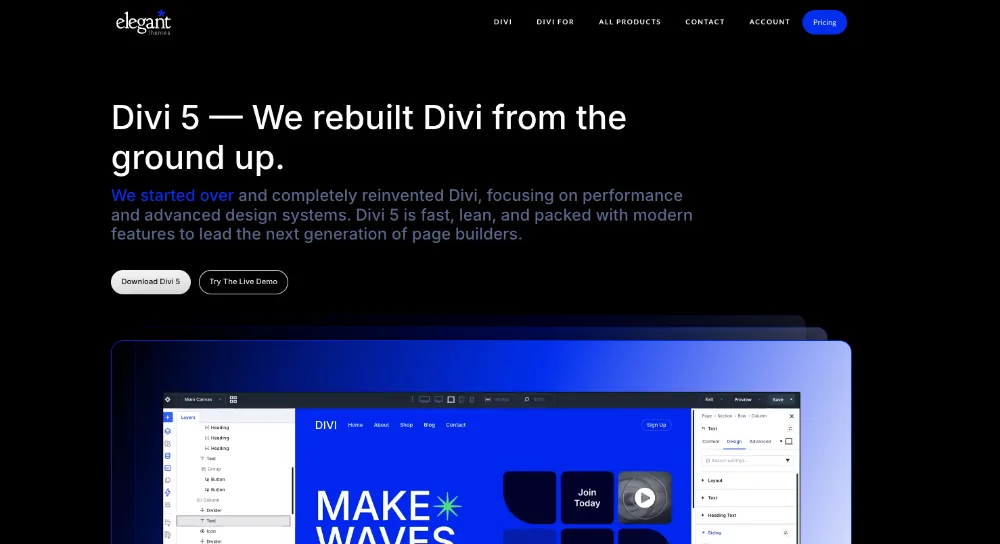
Divi has been around since 2013. For most of that time, the conversation centered on its design flexibility and its reputation for heavy output. Divi 5 rewrote the second half of that story.
What Changed in Divi 5
The biggest shift is architectural. Divi 5 replaces the old shortcode system with a modern component-based engine. The result is cleaner HTML, smaller CSS bundles, and selective asset loading, meaning pages only load CSS for modules they actually use.
Other 2026 highlights include:
- Native CSS Grid layouts (covered in detail in our Divi 5 CSS Grid review)
- Aspect ratio controls and image presets (full breakdown in our image design guide)
- A redesigned visual builder that feels significantly more responsive
- Improved Core Web Vitals out of the box
- Native lazy loading and modern image format support
Where Divi 5 Solves Real Pain Points
| Pain Point | How Divi 5 Solves It |
|---|---|
| Subscription creep | Lifetime plan with unlimited sites |
| Mobile layouts breaking | Device-specific controls on every module |
| Bloated output | New rendering engine outputs cleaner HTML |
| Inconsistent client images | Image presets and aspect ratio controls |
| Plugin overload | Built-in modules cover most needs |
| Slow editor on long pages | Rebuilt builder feels faster than Divi 4 |
For a deeper performance walkthrough, see our Divi 5 performance guide.
Where Divi 5 Falls Short
No builder is perfect. Divi 5 still has rough spots:
- The migration from Divi 4 needs careful planning, especially for sites with custom CSS
- Some third-party addons haven’t fully caught up with Divi 5 yet
- New users sometimes find the modal-based editing slower than sidebar-style builders
- The all-in-one approach means you’re locked into the Divi theme, not just the builder For an honest take, none of these are dealbreakers. They’re trade-offs that come with the territory.
Who Divi 5 Is Best For
- Freelancers building multiple client sites
- Agencies that want predictable lifetime pricing
- Business owners who want one platform instead of theme + builder + addons
- Designers who like CSS Grid and structured layouts If this sounds like you, browse our premium Divi 5 layouts to see what the new architecture can do.
Elementor: The Mature Ecosystem
Elementor has been the dominant WordPress page builder for years, and for good reason. The third-party ecosystem alone is reason enough for many designers to stick with it.
What Elementor Does Well in 2026
The Flexbox container system, fully rolled out by 2024, made Elementor significantly leaner. Pages produce less bloat than the old section-column-widget hierarchy. Elementor’s 2026 release continues that direction with site management dashboards, AI generation features, and improved Cloud Templates.
Other strengths include:
- A massive third-party addon ecosystem (Essential Addons, Crocoblock, Ultimate Addons, and dozens more)
- A familiar sidebar-style editor that feels natural to designers from Figma or Webflow
- Strong WooCommerce builder for ecommerce
- Solid theme builder with Display Conditions
- Built-in form builder, popup builder, and dynamic content
Where Elementor Solves Pain Points
| Pain Point | How Elementor Solves It |
|---|---|
| Need a specific niche feature | Third-party addons probably have it |
| Familiar workflow for design-tool users | Sidebar editing feels like Figma |
| Ecommerce design control | Mature WooCommerce builder |
| Complex dynamic content | Strong custom field integration |
Where Elementor Falls Short
Honest critiques after using it on production sites:
- Annual subscription only. The lifetime plan was removed years ago. Renewals are mandatory to keep Pro features.
- Pricing scales aggressively. Going from 1 site to 25 sites means jumping from $59 to $199 per year. Agency tier is $399.
- Performance is fine, not exceptional. Pro adds 200–400KB of page weight depending on widget usage. Still acceptable, but Divi 5’s rendering engine produces slightly leaner output.
- Plugin sprawl. Most production Elementor sites end up with 20–40 plugins, which creates maintenance overhead and security risk.
- Update fatigue. Major updates have occasionally introduced regressions that affect live sites.
Who Elementor Is Best For
- Designers who depend on third-party widgets and template kits
- Single-site owners who don’t mind annual renewals
- Teams already trained on Elementor and not willing to switch
- Projects that need a very specific niche feature only an Elementor addon provides
Kirki: The Freeform Newcomer
This is where things get interesting. Many WordPress developers still associate Kirki with the customizer framework, the developer toolkit for adding Customizer controls with PHP. That version still exists, but the brand name has been redirected.
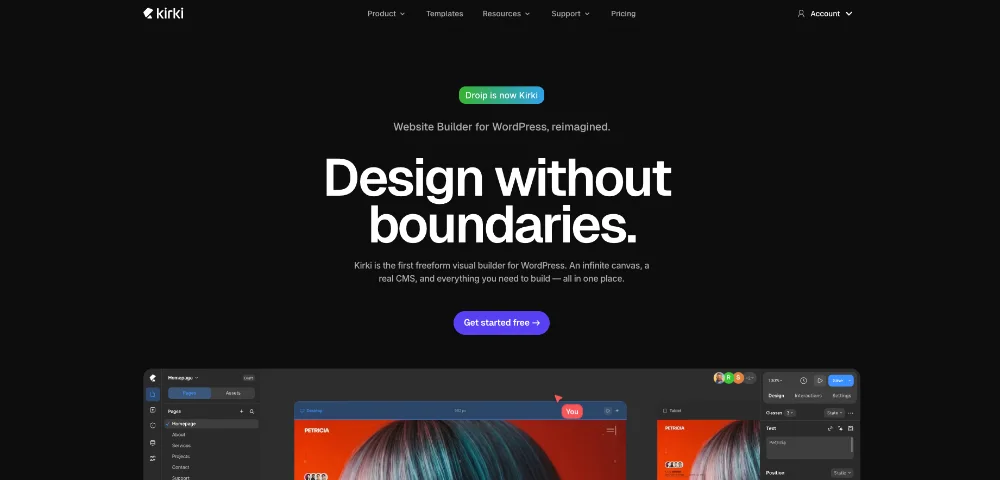
The new Kirki, owned by Themeum, is a completely different product. It’s a freeform visual builder, formerly known as Droip, rebuilt as a true infinite-canvas design tool inside WordPress.
What Makes Kirki Different
The fundamental difference is the canvas model. Divi 5 and Elementor are structured builders, meaning content lives inside sections, rows, columns, or containers. Kirki throws that away and gives you a Figma-style infinite canvas where elements can sit anywhere.
Other 2026 features include:
- Infinite freeform canvas with absolute positioning
- 20+ built-in apps (Mailchimp, Google Search Console, maps, popups, forms, SEO, icons)
- Figma import that preserves styles, spacing, and layouts
- Real CMS for content models and dynamic data
- Clean, performance-focused output
- Visual interaction builder with timeline editor for animations
- Built-in form management, popup builder, and dynamic templates
Where Kirki Solves Pain Points
| Pain Point | How Kirki Solves It |
|---|---|
| Plugin sprawl | 20+ apps built in, fewer external plugins needed |
| Figma-to-WordPress handoff | Direct Figma import |
| Rigid grid restrictions | Freeform canvas with absolute positioning |
| Complex animations | Visual interaction builder, no extra plugins |
| Working with any theme | Theme-agnostic by design |
Where Kirki Falls Short
This is where I have to be honest. Kirki is exciting, but newer to this space:
- Smaller ecosystem. Third-party addons, template marketplaces, and YouTube tutorials are far fewer than Elementor or Divi.
- Different mental model. If your team is trained on structured builders, the freeform canvas is a context switch, not a small adjustment.
- Less battle-tested. Long-term stability over multiple years of WordPress updates is still being established compared to builders that have been around for a decade.
- Pricing transparency. Compared to Divi’s public lifetime plan and Elementor’s tiered pricing page, Kirki Pro pricing is less prominent.
Who Kirki Is Best For
- Designers who think in Figma and want a similar workflow in WordPress
- Teams handing off designs from Figma to WordPress directly
- Creative projects with non-grid layouts
- Users tired of plugin sprawl and wanting more built-in tools
- Early adopters comfortable with newer products
Direct Feature Comparison
Here’s a deeper feature comparison across the categories that come up most in client conversations:
Editor Experience
| Feature | Divi 5 | Elementor | Kirki |
|---|---|---|---|
| Editor style | Visual canvas with modals | Sidebar panel + canvas | Freeform infinite canvas |
| Inline text editing | Yes | Yes | Yes |
| Responsive preview | Built in | Built in | Built in |
| Layers panel | Yes | Navigator panel | Yes |
| Speed on long pages | Fast (after rebuild) | Variable | Fast |
Design Capabilities
| Feature | Divi 5 | Elementor | Kirki |
|---|---|---|---|
| CSS Grid | Native | Via Flexbox | Freeform canvas |
| Flexbox | Yes | Yes (containers) | Yes |
| Aspect ratio controls | Native | Manual | Native |
| Custom breakpoints | Yes | Yes | Yes |
| Animations | Built in | Built in (Pro) | Visual timeline editor |
| Figma import | No | No | Yes |
Performance
| Metric | Divi 5 | Elementor | Kirki |
|---|---|---|---|
| Page weight overhead | Low (after rebuild) | 200–400KB (Pro) | Lightweight |
| Asset loading | Selective per page | Improved asset loading | Performance-focused |
| Native lazy loading | Yes | Yes | Yes |
| Core Web Vitals | Strong | Good | Strong (newer data) |
Pricing Models
| Aspect | Divi 5 | Elementor | Kirki |
|---|---|---|---|
| Free version | No (theme required) | Yes (limited) | Yes |
| Annual plan | Yes | Yes | Yes (Pro) |
| Lifetime plan | Yes | Removed in 2022 | Not standard |
| Multi-site cap on entry | Unlimited | 1 site | Varies |
| Renewal required for features | No (lifetime) | Yes | Yes (Pro) |
Ecosystem and Long-Term Viability
| Factor | Divi 5 | Elementor | Kirki |
|---|---|---|---|
| Years in market | Since 2013 | Since 2016 | Customizer framework since 2015, visual builder newer |
| Third-party addons | Growing | Massive | Limited |
| Template library | 2,000+ Divi layouts | Large official + third-party | Modern template kits |
| Active development | Strong (Divi 5 rebuild) | Active | Very active (recent rebuild) |
| Community size | Large | Largest | Smaller, growing |
Real-World Decision Framework
Specs and tables only get you so far. Here’s a practical framework for picking based on how you actually work.
Pick Divi 5 If You…
- Build websites for clients or run an agency
- Want predictable long-term costs (lifetime plan)
- Need unlimited sites without scaling subscription tiers
- Value an all-in-one theme + builder + utilities package
- Care about Core Web Vitals on every project
- Prefer structured layouts with strong CSS Grid support The lifetime plan alone saves agencies thousands over a few years compared to Elementor’s annual scaling.
Pick Elementor If You…
- Already use Elementor and have a team trained on it
- Depend on specific third-party addons that only exist in this ecosystem
- Run a single site and don’t mind annual renewals
- Prefer a sidebar-panel editing workflow
- Need the largest available pool of YouTube tutorials and community resources It’s a mature choice with the largest community, even if pricing is less friendly to multi-site setups.
Pick Kirki If You…
- Design in Figma and want a near-direct handoff into WordPress
- Like the idea of an infinite canvas instead of structured rows and columns
- Want fewer plugins thanks to built-in apps
- Are comfortable being on a newer product with smaller community
- Build creative, non-grid layouts as your core work This is the most experimental choice. Worth trying for the right project, but I’d be cautious about betting an entire agency’s workflow on it just yet.
Common Migration Pain Points
Switching between any two of these builders means rebuilding pages. There’s no clean automated migration that produces good results across structural differences this large.
If you’re considering switching:
- From Divi 4 to Divi 5: Plan a staging migration carefully. Watch out for SVG imports, and see our SVG fix guide before migrating.
- From Elementor to Divi 5: Expect to rebuild pages. Migration plugins exist but rarely produce production-quality results.
- From any builder to Kirki: The freeform canvas model means structured-builder content needs full redesign anyway. For most established sites, the better approach is to start new projects on the chosen builder rather than trying to retrofit existing ones.
What About the Free WordPress Block Editor?
A fair question. Gutenberg, the block editor, has improved significantly. For simple blog posts and basic pages, it’s often enough. None of these three builders are strictly necessary for basic content sites.
Where the builders pull ahead:
- Theme-builder capabilities (designing headers, footers, archives, single posts)
- WooCommerce design beyond default templates
- Complex landing pages with conversion-focused layouts
- Reusable design systems across many pages
- Visual editing for clients who don’t know HTML If your site is genuinely simple, Gutenberg might be the right answer. For everything else, one of these three is usually worth the investment.
FAQ: Divi 5 vs Elementor vs Kirki
Which is the fastest WordPress builder in 2026? All three are competitive after recent updates. Divi 5’s rebuilt rendering engine produces some of the cleanest HTML output of any major builder. Elementor’s Flexbox containers reduced overhead significantly. Kirki’s freeform canvas is engineered for lightweight output. Hosting, images, and caching matter more than the builder choice for raw speed.
Is Kirki the same as the old customizer framework? The name is the same, but the product is fundamentally different. The original Kirki was a developer framework for adding Customizer controls with PHP. The current Kirki, owned by Themeum (formerly Droip), is a freeform visual builder. The original customizer framework still exists on GitHub for theme developers.
Can I use Divi 5 with another page builder? Technically yes, but it’s usually a bad idea. Each builder loads its own assets and conflicts can break layouts. Pick one and commit. The exception is the WordPress block editor, which works alongside Divi for basic content.
Does Elementor still have a lifetime plan? No. Elementor removed the lifetime plan in 2022. All Pro plans are now annual subscriptions. This is one of the biggest reasons agencies have been moving toward Divi 5.
Which is best for WooCommerce in 2026? Both Divi 5 and Elementor offer mature WooCommerce builders. For most stores under 500 products, either works well. For a complete walkthrough, see our WooCommerce store guide with Divi 5. Kirki supports WooCommerce, but its ecommerce template library is smaller.
Which builder is best for SEO? SEO depends more on content, site structure, and Core Web Vitals than the builder itself. All three can produce SEO-friendly sites. Divi 5’s lighter HTML and improved Core Web Vitals give it a slight edge on technical SEO. See our Divi 5 SEO best practices guide for the full breakdown.
Which is easiest for beginners? Honestly, all three have learning curves. Divi 5 is approachable thanks to 2,000+ pre-made layouts. Elementor is familiar to anyone who has used design tools. Kirki’s freeform canvas takes more adjustment for first-time builders. Beginners can succeed with any of them given a few weeks of practice.
Can I switch builders later? Yes, but it almost always means rebuilding pages from scratch. There’s no clean automated migration between these three builders. Choose carefully the first time.
Which has the best mobile responsive design? Divi 5 and Elementor both have mature responsive controls with device-specific settings on most options. Kirki supports responsive editing but the freeform canvas requires more manual adjustment for smaller screens. For best practices, see our Divi 5 responsive design guide.
Are these builders good for blogs? All three handle blogs well, but Divi 5 and Elementor have the most mature blog and archive templates. The WordPress block editor is often enough for content-only blogs. Builders shine for custom blog layouts, related posts, and content marketing-style designs.
Final Verdict: Which Builder Wins in 2026?
There’s no universal winner. The right answer depends on your business model and the kind of work you do.
For most freelancers, agencies, and small business owners, Divi 5 is the strongest choice in 2026. The combination of:
- A rebuilt rendering engine
- Lifetime pricing with unlimited sites
- A complete theme + builder package
- Native CSS Grid and image controls
- Strong WooCommerce and theme builder support …makes it the most balanced option for high-volume professional work.
For designers committed to the Elementor ecosystem or running a single site, Elementor remains an excellent choice with the largest community and ecosystem.
For forward-thinking designers, especially those working in Figma, Kirki is worth experimenting with on a project. The freeform canvas is genuinely different, and if it fits your workflow, it could change how you build websites.
The most important thing is to actually try them. Install Divi 5 on a staging site. Install Elementor on another. Install Kirki on a third. Spend a few hours with each. Within a week, your instinct will tell you which one fits.
If you want to explore what Divi 5 can do, browse our premium Divi 5 layouts, or contact us if you need help choosing the right builder or migrating an existing site. The right builder is the one that makes the work feel easier, and after using all three, that answer looks different for everyone.
About the Author

MD Nurullah
MD Nurullah is a web developer and content creator at DiviFlow, focused on building modern websites and creating helpful resources for the WordPress community.