
Speed Up WordPress with Divi 5 Performance
Table of Contents
Website speed is one of the first things visitors notice, and one of the biggest factors that quietly affects your conversions, search rankings, and overall user experience.
For years, the Divi community has had a love-hate relationship with performance. The builder offered amazing design flexibility, but page weight and render times were often a concern, especially on shared hosting or content-heavy websites.
Divi 5 changes that conversation completely. With a rebuilt rendering engine, smarter asset loading, and far cleaner front-end output, Divi 5 is the most performance-focused version of the builder ever released.
In this guide, I will walk through what actually changed under the hood, how it affects real-world page speed, and the practical steps you can take to get the most out of it.
Why Divi 5 Performance Matters in 2026
Page speed is not just a nice-to-have anymore. It directly affects:
- Google search rankings through Core Web Vitals
- Bounce rates and time on page
- Conversion rates on landing pages and product pages
- Mobile user retention, especially on slower connections
- Hosting costs, since heavier sites need more server resources
A slow Divi website used to mean digging through caching plugins, image optimizers, and CSS minifiers just to get acceptable load times. Divi 5 reduces a huge portion of that work by handling many optimizations natively.
For freelancers and agencies building multiple client sites, that translates into hours saved per project and fewer maintenance tickets later.
What Changed Under the Hood in Divi 5
The biggest performance gains in Divi 5 come from a complete architectural rewrite. The old builder relied heavily on shortcodes, which created bloated HTML output and slowed down both the backend editor and the published page.
Divi 5 replaces that with a modern component-based system. The result is cleaner code, smaller page weight, and faster interactivity in the visual builder itself.
Key changes include:
- A new rendering engine that outputs lighter HTML
- Selective asset loading so unused modules do not load
- Better caching compatibility with popular plugins
- Smarter handling of inline styles
- Reduced JavaScript dependencies on the front end
These are not marketing claims. You can see the difference in browser dev tools when comparing a Divi 4 and Divi 5 page side by side.
How the New Rendering Engine Affects Speed
The rendering engine is the part of Divi that turns your builder layout into actual HTML and CSS on the live page. In older versions, every module came with its own bundle of styles whether you used those features or not.
Divi 5 only loads what your page actually needs. If a page does not use a particular module, the related CSS and JavaScript stay out of the output entirely.
This matters because:
- Smaller CSS files mean faster First Contentful Paint
- Less JavaScript reduces Total Blocking Time
- Cleaner HTML improves Largest Contentful Paint scores
For a typical blog post or landing page, this can shave hundreds of milliseconds off load times without any manual tuning.
Smarter Asset Loading
One of the most practical improvements in Divi 5 is how it loads scripts and styles. Instead of pulling in one massive global stylesheet, the builder now generates per-page assets based on what each layout actually uses.
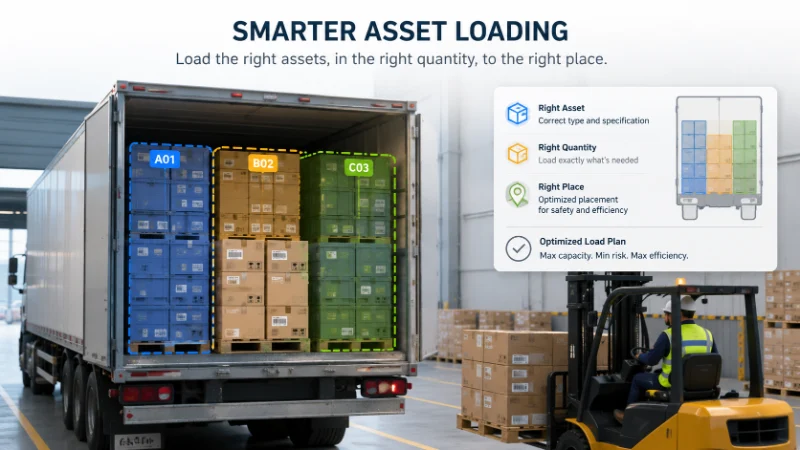
This is especially noticeable on:
- Long-form blog posts with simple layouts
- Landing pages that only use a few modules
- Product pages with consistent layouts across many items
You no longer have to choose between rich design and acceptable performance. Both can coexist on the same page.
Practical Speed Optimization Tips for Divi 5
Even with all the built-in improvements, there are still several things you can do to push Divi 5 performance even further. These are the same steps I follow on every client project.
1. Use Modern Image Formats
Convert images to WebP or AVIF before uploading. Most modern browsers support both, and the file size difference compared to JPEG or PNG is significant.
You can pair this with the new aspect ratio controls in Divi 5 to keep layouts consistent. For more on that, check out our guide on the Divi 5 aspect ratio controls and image presets.
2. Enable Lazy Loading Properly
Divi 5 supports native lazy loading for images and iframes. Make sure it is enabled in your theme options and avoid plugins that duplicate this functionality, since multiple lazy loaders can conflict.
3. Limit Heavy Third-Party Scripts
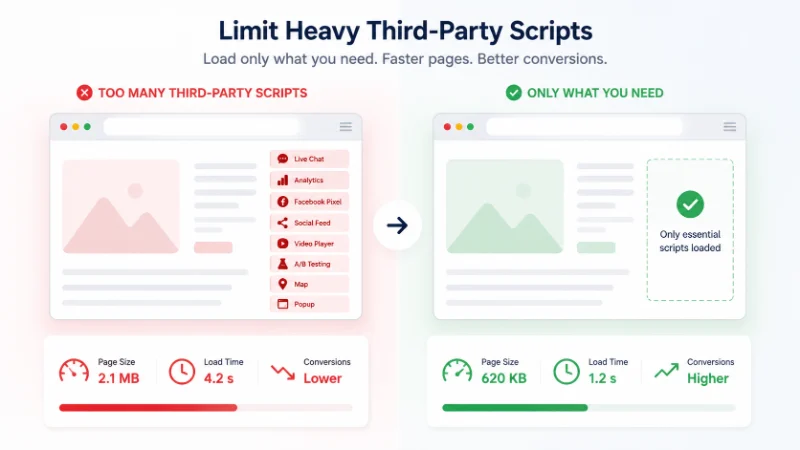
Live chat widgets, analytics tools, and social media embeds are often the slowest part of a page. Audit them carefully and remove anything that does not directly contribute to your business goals.
4. Use a Caching Plugin That Plays Well With Divi
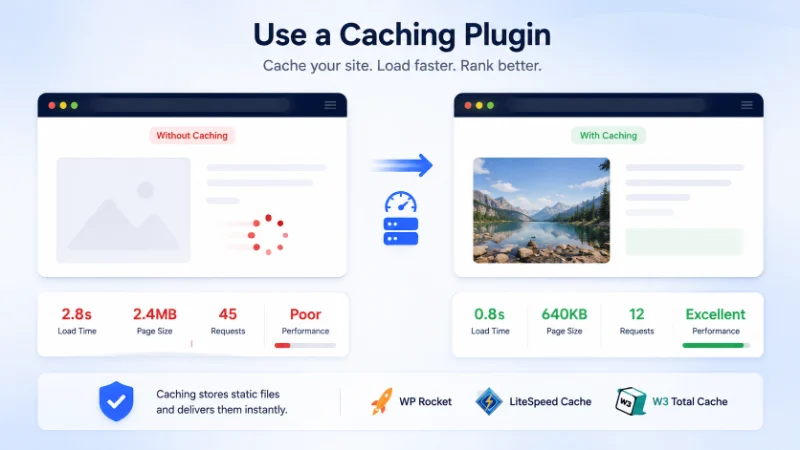
Popular options include WP Rocket, LiteSpeed Cache, and W3 Total Cache. Most of them now have specific Divi compatibility settings. Test before and after enabling them to make sure nothing breaks visually.
5. Pick the Right Hosting
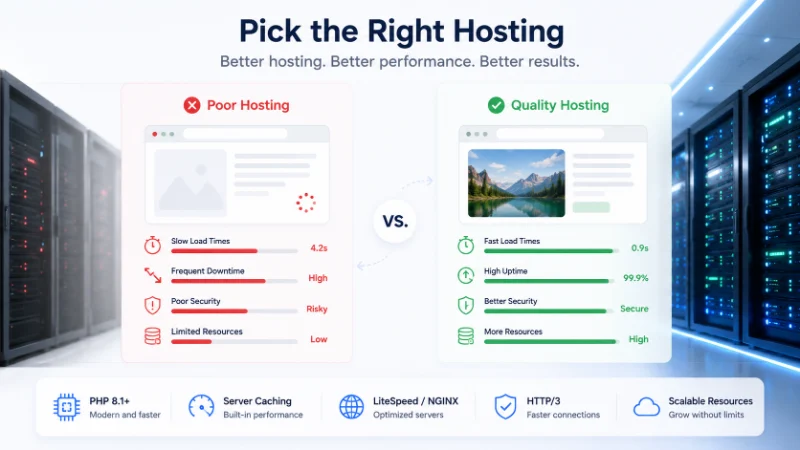
No amount of optimization can fix slow hosting. For Divi sites, look for hosts with:
- PHP 8.1 or higher
- Server-level caching
- A modern web server like NGINX or LiteSpeed
- HTTP/3 support
- Adequate memory for the WordPress admin
Cheap shared hosting will always struggle with feature-rich themes, no matter how well the theme is built.
6. Avoid Plugin Overload
Every plugin adds some overhead. Audit your plugin list every few months and remove anything you no longer use. Many Divi sites end up with 30 or 40 plugins when 15 would do the job better.
Divi 5 and Core Web Vitals
Google’s Core Web Vitals measure three main things:
- Largest Contentful Paint (LCP): how fast the main content loads
- Interaction to Next Paint (INP): how responsive the page feels
- Cumulative Layout Shift (CLS): how stable the layout is during loading
Divi 5 helps all three. Cleaner HTML improves LCP. Less JavaScript improves INP. And the new aspect ratio controls help reduce CLS by reserving space for images before they finish loading.
This is one of the biggest reasons Divi 5 is worth upgrading to, even on existing projects.
Common Performance Mistakes to Avoid
Even with Divi 5, certain habits can drag your site down. Watch out for these:
- Uploading huge unoptimized images straight from the camera
- Stacking multiple page builders or theme builders on the same site
- Using auto-playing background videos on every page
- Loading custom fonts you do not actually use
- Adding tracking pixels for tools you no longer run
Most of these come from quick fixes that get forgotten over time. A quarterly cleanup pass can make a noticeable difference.
When to Upgrade From Divi 4 to Divi 5
If you are running an existing Divi 4 site, the move to Divi 5 is worth planning carefully. Most layouts will migrate cleanly, but some custom CSS and third-party child themes may need adjustments.
Before upgrading:
- Back up the entire site
- Test the migration on a staging environment first
- Re-check SVG logos and assets, as covered in our SVG import troubleshooting guide
- Audit performance before and after so you can measure the gains
For most websites, the performance benefits alone justify the upgrade.
FAQ About Divi 5 Performance
Is Divi 5 faster than Divi 4? Yes. The new rendering engine produces lighter HTML, loads fewer scripts, and only pulls in CSS for modules that are actually used on the page. On most sites, you will see measurable improvements in Core Web Vitals after upgrading.
Do I still need a caching plugin with Divi 5? Caching plugins still help, but they are no longer doing as much heavy lifting. Server-level caching combined with a lightweight plugin like WP Rocket or LiteSpeed Cache is usually enough.
Will Divi 5 work on cheap shared hosting? It will run, but performance will still depend on the hosting environment. For best results, choose a host with PHP 8.1 or higher and server-level caching.
Does Divi 5 fix mobile speed issues? The new asset loading system helps a lot with mobile speed. Combined with the aspect ratio controls and lazy loading, mobile pages feel noticeably more responsive.
Should I migrate an existing Divi 4 site to Divi 5? Yes, but plan carefully. Test on staging, back everything up, and verify SVG assets and custom CSS after the move.
Final Thoughts
Divi 5 represents one of the most meaningful performance shifts the builder has ever seen. The combination of a modern rendering engine, smarter asset loading, and built-in image controls makes it far easier to build fast WordPress websites without relying on a stack of optimization plugins.
For freelancers, agencies, and business owners, that means cleaner workflows, happier clients, and websites that hold up well on Core Web Vitals.
If you are building a new project, Divi 5 is the obvious choice. If you are still on Divi 4, this is the right time to plan your migration. To explore ready-made designs that take advantage of the new architecture, browse our premium Divi 5 layouts or get in touch through our contact page for personalized help.
About the Author

MD Nurullah
MD Nurullah is a web developer and content creator at DiviFlow, focused on building modern websites and creating helpful resources for the WordPress community.