
How to Rank Your WordPress Website in 2026 (Divi 5 SEO)

Table of Contents
A beautifully designed website that nobody finds is one of the most frustrating things in web development. You can spend weeks perfecting a layout in Divi 5, and without solid SEO foundations, your traffic will plateau no matter how much effort goes into the design.
The good news is that Divi 5 produces cleaner code and faster pages than any previous version, which already removes some of the historical SEO friction Divi users worried about. Combined with smart content choices and on-page optimization, you can rank competitively in 2026 search results.
In this guide, I will walk through practical Divi 5 SEO best practices, based on what actually moves the needle for client projects and our own sites.
Why SEO Still Matters for Divi Websites
Even with AI search results, social media, and paid ads, organic search remains the most consistent source of traffic for most websites. It is free, compounding, and tends to convert better than other channels because users are actively looking for solutions.
For Divi users, strong SEO means:
- More clients finding your portfolio
- More product sales for ecommerce stores
- More leads for service businesses
- More authority in your niche
- A long-term traffic asset that grows over time
Good design and good SEO are not opposites. With Divi 5, they work together more naturally than ever.
How Divi 5 Helps With SEO
Before getting into optimization tactics, it is worth understanding what Divi 5 does on its own.
Built-in SEO advantages include:
- Lighter HTML output from the rebuilt rendering engine
- Selective asset loading that improves page speed
- Native lazy loading for images and iframes
- Clean heading hierarchy through proper module structure
- Mobile-friendly responsive controls
- Compatibility with all major SEO plugins
You still need to do the on-page work, but Divi 5 gives you a much better starting point than older builders that produced heavy shortcode-based output.
Step 1: Set Up a Proper SEO Plugin
WordPress does not handle SEO meta data on its own. You need a plugin to manage titles, descriptions, social sharing tags, and sitemaps.
Popular choices include:
- Rank Math
- Yoast SEO
- SEOPress
- The SEO Framework
All of them work well with Divi 5. Pick one based on your preferences and stick with it. Switching plugins later is messy and rarely worth the time.
Once installed, configure:
- Default title and description templates
- Open Graph and Twitter card settings
- XML sitemap generation
- Schema markup for the main content types you use
- Google Search Console verification
This setup takes about an hour and pays off for years.
Step 2: Build a Logical URL Structure
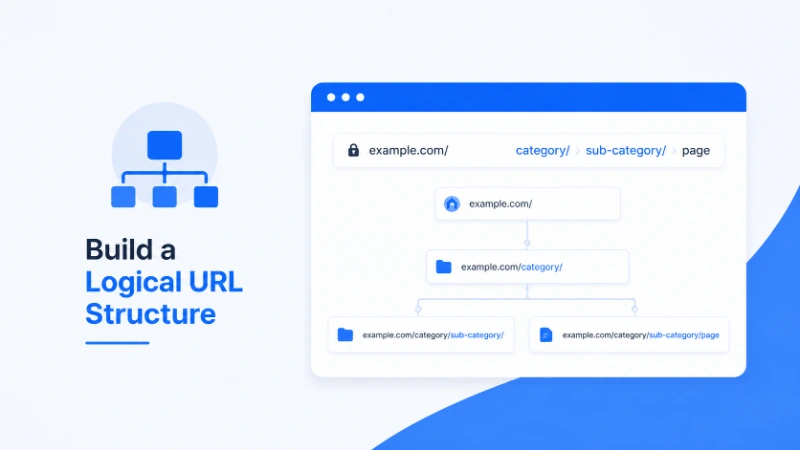
URLs are a small ranking signal but a big usability signal. Clean, descriptive URLs help both search engines and human visitors understand your content.
In WordPress, go to Settings then Permalinks and choose the Post Name option. This gives you URLs like example.com/divi-5-seo-tips rather than example.com/?p=123.
For each page or post:
- Keep URLs short and descriptive
- Include your target keyword naturally
- Avoid stop words like “and” or “the” where possible
- Use hyphens to separate words, never underscores
- Never use special characters or capital letters
Once a URL is live and indexed, avoid changing it. If you must change, set up a 301 redirect to the new URL.
Step 3: Optimize Title Tags and Meta Descriptions
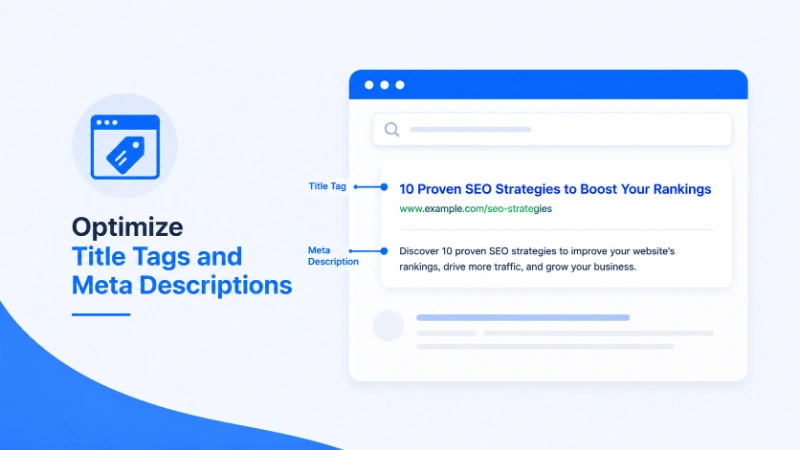
Title tags and meta descriptions are what shows up in search results. They are also one of the highest-leverage SEO tasks you can do.
For every page:
- Write a unique title tag under 60 characters
- Include the main keyword near the front
- Make it compelling enough to earn the click
- Write a meta description between 140 and 160 characters
- Mention the keyword once naturally
- Hint at what makes your page worth visiting
Avoid generic titles like “Home” or “Blog”. Every page should have a purpose, and the title should reflect that purpose.
Step 4: Use Heading Hierarchy Correctly
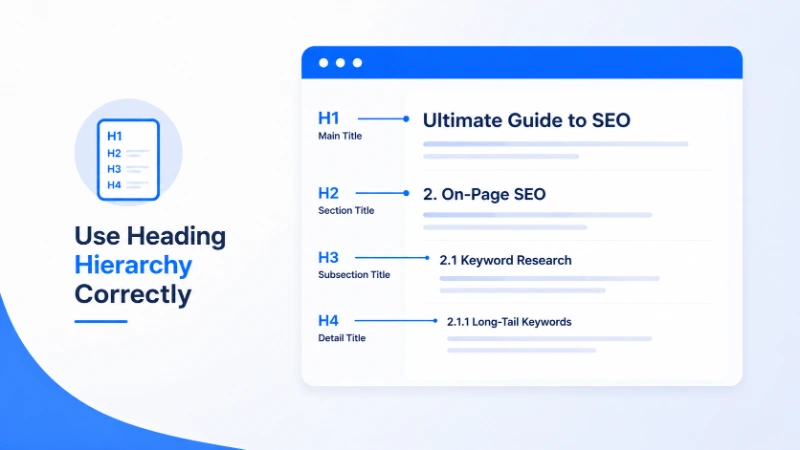
Headings give structure to your content. Search engines use them to understand what each section is about, and users rely on them to scan the page.
Best practices:
- Use exactly one H1 per page, usually the main page title
- Use H2 for main sections
- Use H3 for subsections within H2 areas
- Never skip levels, for example jumping from H2 to H4
- Include relevant keywords in headings, but write for humans first
In Divi 5, the text and heading modules let you set the heading level easily. Plan your structure before building, not after.
Step 5: Optimize Page Speed and Core Web Vitals
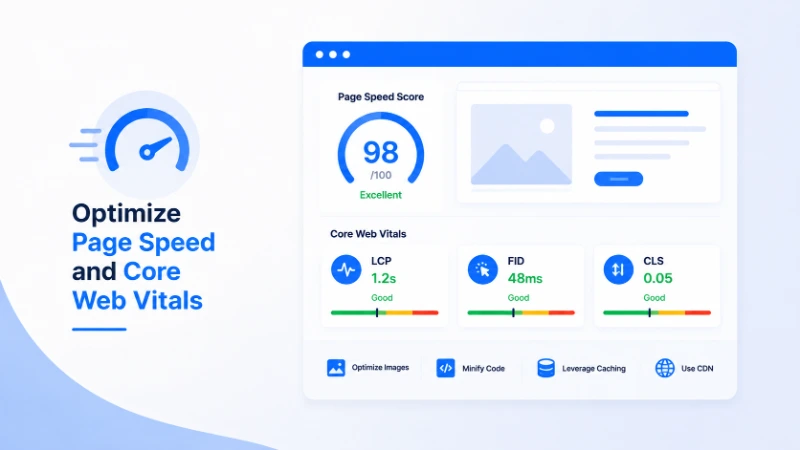
Speed is one of the few SEO ranking factors that Google has confirmed publicly. The Core Web Vitals metrics measure:
- Largest Contentful Paint, how fast the main content loads
- Interaction to Next Paint, how responsive the page feels
- Cumulative Layout Shift, how stable the layout is during loading
Divi 5 helps significantly with all three through its new rendering engine and image controls. For a deeper performance walkthrough, see our Divi 5 performance guide.
Quick wins for SEO-focused speed:
- Compress images to WebP or AVIF
- Enable a caching plugin
- Use quality hosting with PHP 8.1 or higher
- Limit third-party scripts
- Defer non-critical JavaScript
A site that loads in under two seconds will outrank an identical site that takes five seconds, all else being equal.
Step 6: Add Schema Markup
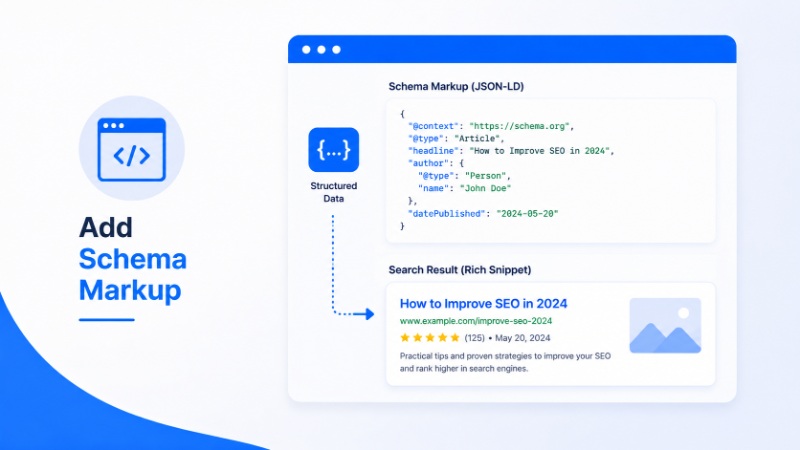
Schema markup helps search engines understand the meaning of your content. It can lead to rich results in search, like star ratings, recipe cards, FAQ accordions, and product listings.
Most SEO plugins handle schema automatically for common content types. Make sure you have schema enabled for:
- Articles and blog posts
- Local business if applicable
- Products if you run a WooCommerce store
- FAQ sections on relevant pages
- Reviews and ratings
You can verify schema is working using Google’s Rich Results Test tool. Plugins do the heavy lifting, but it is worth checking that everything renders correctly.
Step 7: Build Strong Internal Linking
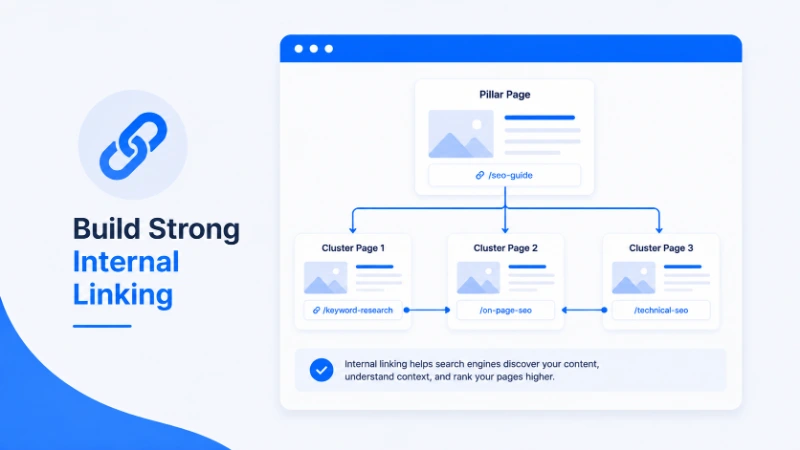
Internal links are one of the most underrated SEO tactics. They help search engines discover and prioritize your pages, and they keep visitors moving through your site.
For every blog post and page:
- Link to at least two or three related pages
- Use descriptive anchor text, not “click here”
- Link from older content to newer content
- Link from new content to your most important pages
- Avoid linking the same anchor text to multiple pages
For example, an article about building a WooCommerce store with Divi 5 naturally links to performance tips, mobile design, and image optimization. That cluster of internal links reinforces topical authority across the whole site.
Step 8: Write Content People Actually Want
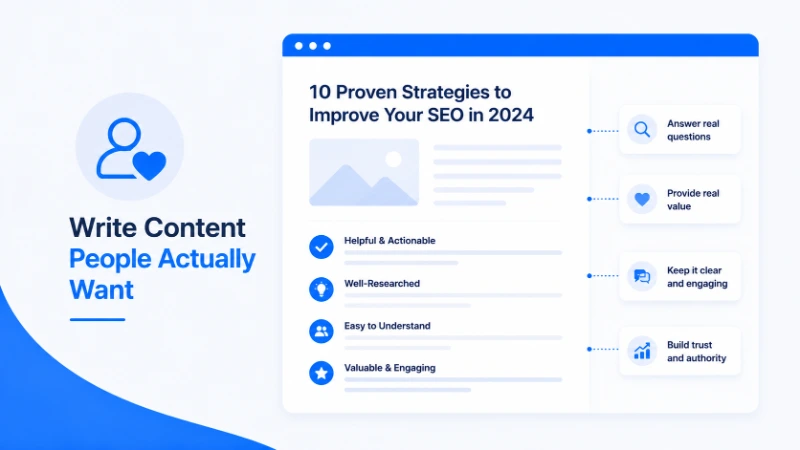
No amount of technical SEO will rank thin or generic content in 2026. Search engines have gotten very good at recognizing content that helps versus content that fills space.
Focus on:
- Solving specific problems your audience has
- Sharing real experience and concrete examples
- Including original screenshots and visuals
- Answering related questions in depth
- Updating older posts when information changes
Length matters less than quality. A focused 1,500 word article that fully answers a question outranks a 3,000 word article that wanders.
Step 9: Optimize Images for Search
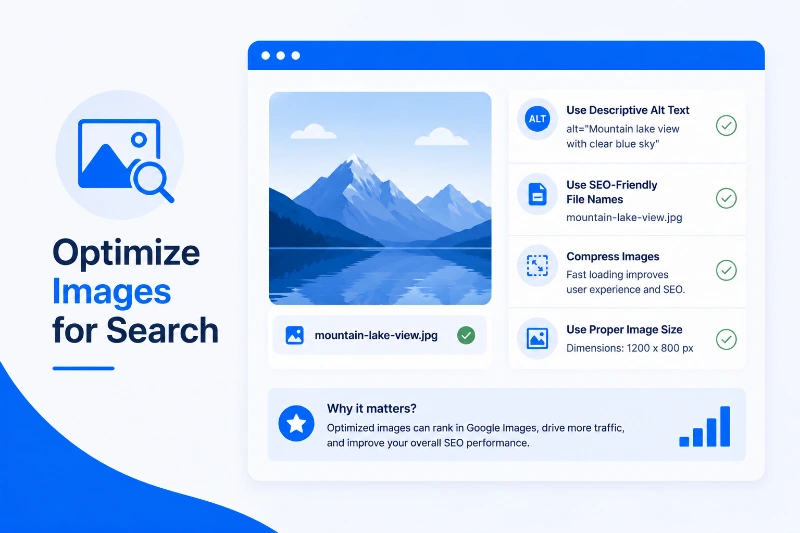
Images can drive traffic from Google Images and improve overall page relevance. With Divi 5’s new image controls, this is easier than ever.
For every image:
- Use a descriptive filename like divi-5-shop-page-design.webp
- Compress to WebP or AVIF format
- Add meaningful alt text for accessibility and SEO
- Use consistent aspect ratios with image presets
- Lazy load below-the-fold images
Alt text serves two purposes: it helps visually impaired users understand the image, and it gives search engines context. Write it for humans first.
Step 10: Build Authority With Quality Backlinks
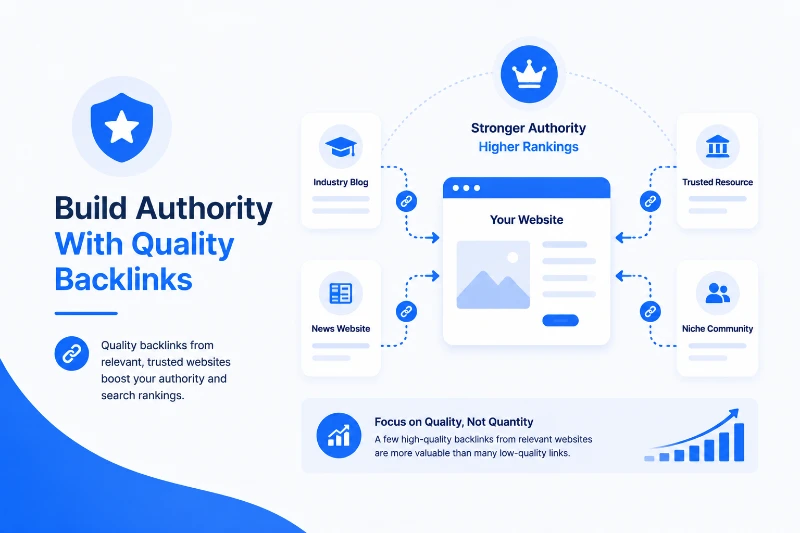
Backlinks remain a top ranking factor. Pages with links from credible sites tend to rank higher than pages without them.
Practical ways to earn backlinks:
- Write genuinely useful content that other sites want to reference
- Publish original research, case studies, or comparisons
- Guest post on relevant industry blogs
- Build relationships with other creators in your niche
- Create resource pages that attract natural links
Avoid link buying, link farms, and any scheme that promises fast results. These almost always lead to penalties eventually.
Mobile SEO Considerations
Google uses mobile-first indexing, which means the mobile version of your site is what gets ranked. A poor mobile experience hurts SEO directly.
Use Divi 5’s responsive controls to:
- Ensure readable font sizes on phones
- Make tap targets large enough
- Avoid intrusive popups on mobile
- Optimize images for mobile breakpoints
- Test forms on actual phones
For a complete walkthrough, see our Divi 5 mobile responsive design guide.
Common Divi 5 SEO Mistakes to Avoid
After auditing many Divi sites, these are the patterns I see most often:
- Multiple H1 tags on the same page
- Generic page titles like “Home” or “About Us”
- Missing meta descriptions on important pages
- Huge unoptimized images slowing down Core Web Vitals
- Thin pages with little useful content
- Broken internal links from old layouts
- Duplicate content from staging sites accidentally indexed
- Ignoring image alt text entirely
Most of these are easy to fix once you spot them. A quarterly SEO audit catches the majority before they cause real problems.
Measuring SEO Success
You cannot improve what you do not measure. Set up these tools from day one:
- Google Search Console for keyword and indexing data
- Google Analytics 4 for traffic and engagement
- A rank tracking tool for monitoring specific keywords
- PageSpeed Insights for Core Web Vitals
- Site audit tools like Ahrefs or Semrush if budget allows
Check Search Console weekly for issues. Review traffic monthly. Run technical audits quarterly. SEO is a long game, and consistent monitoring is what separates sites that grow from sites that stagnate.
FAQ About Divi 5 SEO
Is Divi 5 good for SEO? Yes. Divi 5 produces cleaner HTML than older versions and loads only the assets each page needs. Combined with a good SEO plugin and solid content, it works well for search rankings.
Do I need an SEO plugin with Divi 5? Yes. Divi handles the design and structure side, but you still need a plugin for meta tags, sitemaps, schema, and social sharing data. Rank Math and Yoast SEO are both excellent.
Does Divi 5 affect Core Web Vitals? Divi 5 generally helps Core Web Vitals through its lighter rendering, native lazy loading, and aspect ratio controls. Final scores still depend on hosting, images, and overall content.
How long does Divi 5 SEO take to show results? SEO is a long game. New sites typically see initial movement in two to three months and meaningful traffic in six to twelve. Established sites see faster results from on-page improvements.
Can I use Divi 5 with Rank Math or Yoast? Yes. Divi 5 is fully compatible with all major SEO plugins. There are no conflicts or special setup steps required.
Final Thoughts
SEO with Divi 5 is more accessible than it has ever been. The rebuilt rendering engine, improved performance, and clean output give you a strong foundation. The rest comes down to discipline: write helpful content, structure pages logically, optimize images, build internal links, and earn external authority over time.
For freelancers, agencies, and business owners, this combination produces websites that not only look great but actually attract the right visitors month after month.
If you want to start with optimized, SEO-friendly designs, explore our premium Divi 5 layouts, or reach out if you would like help auditing or improving your existing Divi site. Search rankings reward patience and consistency, and the work you put in this year will keep paying off for years.
About the Author

Nasrin Akter
Nasrin Akter is a passionate creative professional at DiviFlow, dedicated to helping businesses and individuals build modern, user-friendly websites with WordPress and Divi. With a strong eye for design and attention to detail, she focuses on creating clean, functional, and engaging digital experiences that improve both usability and performance.