
Divi & WordPress Conversion Optimization Guide 2026
Table of Contents
Getting traffic to a website is only half the battle. The real challenge is turning those visitors into subscribers, leads, or paying customers.
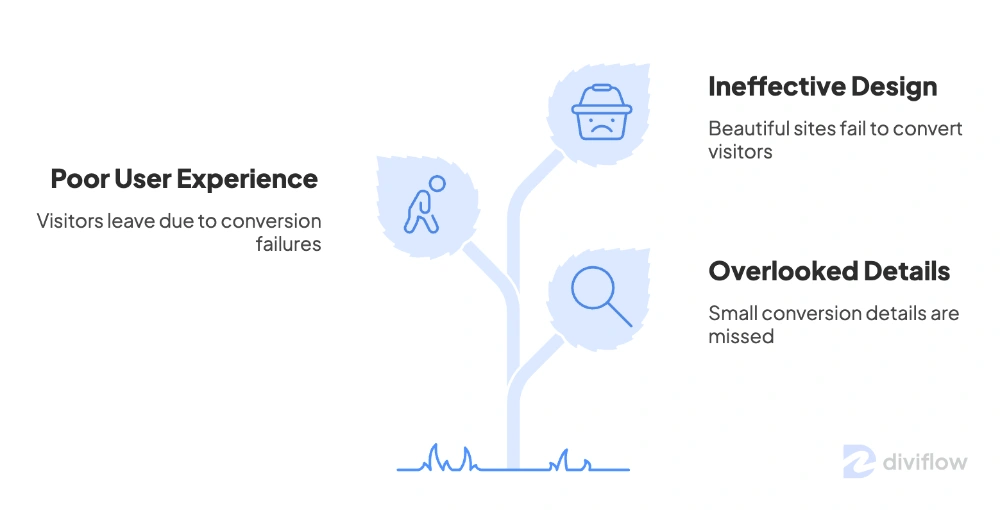
A website that looks beautiful but fails to convert is not actually doing its job. After working on dozens of Divi and WordPress projects, I have noticed one pattern again and again. Most websites lose customers not because the design is bad, but because small conversion details are overlooked.
In this guide, I will walk through practical website conversion optimization strategies that work especially well for Divi and WordPress sites. These are real-world tips you can apply today without hiring a developer or rebuilding your entire website.
What Is Website Conversion Optimization?
Website conversion optimization is the process of improving your site so that more visitors take a desired action. That action could be:
- Buying a product
- Signing up for an email list
- Filling out a contact form
- Booking a consultation
- Downloading a free resource
- Clicking through to a sales page
The goal is simple. Get more value from the traffic you already have. Even a small improvement, such as moving your conversion rate from 1.5 percent to 2.5 percent, can dramatically increase revenue without spending more on ads.
Why Conversion Optimization Matters More Than Traffic
Many website owners focus heavily on SEO and traffic but ignore what happens after a visitor lands on their page.
Here is the truth. Doubling your traffic is expensive. Doubling your conversion rate is often free.
A well-optimized Divi website can turn casual visitors into loyal customers without needing more ad spend, more backlinks, or more blog posts. That is why conversion optimization should be a core part of every website strategy.
Start With a Clear Value Proposition
The first thing visitors should see when they land on your homepage is a clear, benefit-driven message.
Many websites make the mistake of writing vague headlines like “Welcome to Our Website” or “We Provide Quality Services.” These statements say nothing and give visitors no reason to stay.
Instead, your hero section should answer three questions immediately:
- What do you offer?
- Who is it for?
- Why should they care?
For example, a headline like “Custom Divi Layouts That Help Small Businesses Launch Faster” is far stronger than “Welcome to Our Design Studio.”
Divi 5 makes it easy to design strong hero sections using its Text Module, Button Module, and flexible layout controls. Combine a clear headline with a focused subheading and one primary call-to-action button.
Optimize Your Call-to-Action Buttons
Call-to-action buttons are one of the most important conversion elements on any website. Yet many Divi users still use generic text like “Submit” or “Click Here.”
Here are a few simple ways to improve CTA buttons:
- Use action-driven text such as “Get My Free Guide” or “Start My Free Trial”
- Make the button color stand out from the rest of the page
- Use enough padding so the button feels tappable on mobile
- Place CTAs above the fold and again at the end of each section
- Avoid placing too many CTAs on one page, which creates decision fatigue
Inside Divi 5, you can customize button hover effects, animations, and shadows to make your CTAs more visually engaging. A subtle hover animation can increase click-through rates noticeably.
Improve Page Loading Speed
Page speed has a direct impact on conversions. Studies consistently show that even a one-second delay in load time can reduce conversions by up to seven percent.
For Divi and WordPress sites, here are practical ways to improve speed:
- Use a quality hosting provider with good server response times
- Enable caching using a plugin like WP Rocket or LiteSpeed Cache
- Compress images before uploading using tools like ShortPixel or Imagify
- Use WebP image format for faster loading
- Limit the number of third-party scripts on your site
- Enable Divi’s built-in performance options under Theme Options
A fast-loading website not only converts better but also ranks higher in search results, which means more organic traffic over time.
Build Trust With Social Proof
Visitors are more likely to convert when they see that other people trust your brand. Social proof reduces hesitation and builds credibility.
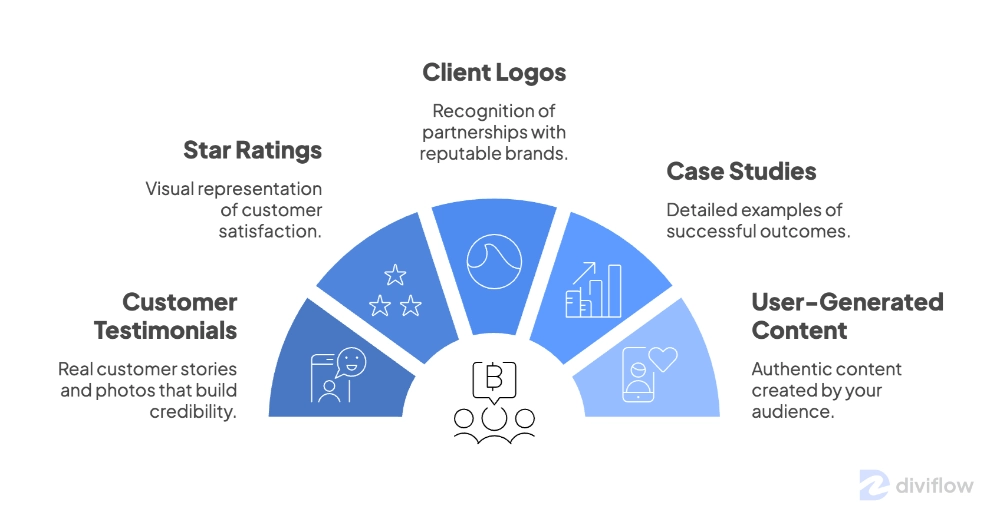
Some effective ways to add social proof to your Divi site include:
- Customer testimonials with real names and photos
- Star ratings or review counts
- Logos of clients or brands you have worked with
- Case studies showing real results
- User-generated content from social media
Divi 5 includes a Testimonial Module and Group Carousel Module that make displaying social proof simple. You can also create custom testimonial sliders without needing extra plugins.
Simplify Your Forms
Long, complicated forms are one of the biggest conversion killers on WordPress sites.
If your contact form asks for too many details upfront, visitors will abandon it. The rule is simple. Only ask for the information you absolutely need at that stage.
For most websites, a contact or signup form needs just:
- Name
- Email address
- A short message or question
If you need more information later, follow up by email. Tools like WPForms, Fluent Forms, and Divi’s built-in Contact Form Module make it easy to build clean, conversion-friendly forms.
Design for Mobile First
More than half of all web traffic now comes from mobile devices. If your Divi site is not optimized for mobile, you are losing conversions every day.
Here is a quick mobile optimization checklist:
- Test every page on real devices, not just the desktop preview
- Make sure buttons are large enough to tap easily
- Avoid intrusive popups that block content on mobile
- Use readable font sizes, ideally 16px or larger for body text
- Keep mobile menus simple and easy to navigate
Divi 5’s responsive editing tools allow you to customize layouts separately for desktop, tablet, and mobile. Take full advantage of those settings instead of relying only on automatic scaling.
Use Clear Visual Hierarchy
Visitors should know exactly where to look and what to do on every page. A confusing layout leads to bounce, while a clear visual hierarchy guides users naturally toward conversion.
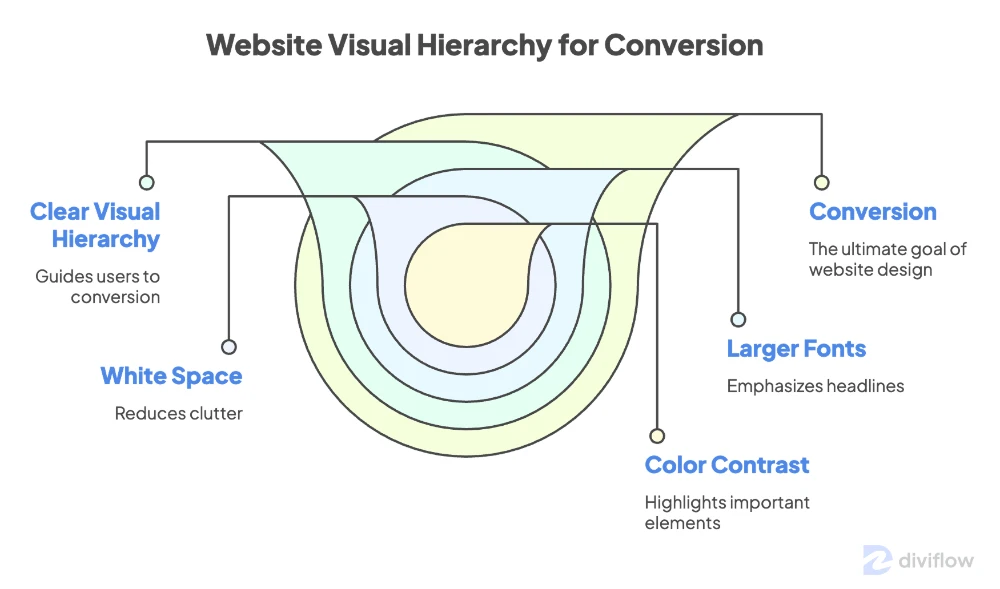
Some quick tips:
- Use larger fonts for headlines and smaller fonts for supporting text
- Add white space between sections to reduce visual clutter
- Use color contrast to highlight important elements
- Keep your most important content above the fold
- Use Divi’s spacing controls to maintain consistent margins and padding
Test and Measure Everything
Conversion optimization is not a one-time task. It is an ongoing process of testing, measuring, and improving.
Tools like Google Analytics 4, Microsoft Clarity, and Hotjar can show you how visitors actually interact with your site. You will see where they click, where they scroll, and where they drop off.
Once you have data, run small tests. Try a different headline. Change your button color. Move your CTA higher on the page. Measure the results and keep what works.
Final Thoughts
Website conversion optimization is not about tricks or shortcuts. It is about respecting your visitors, giving them clear value, and removing friction from their journey.
For Divi and WordPress users, the good news is that most conversion improvements do not require coding or expensive tools. With Divi 5’s flexible design system, responsive controls, and built-in modules, you can build high-converting pages directly inside the visual builder. For a ready-made example, follow our guide to installing a Divi book landing page.
Start with one improvement at a time. Fix your headline. Improve your CTA. Speed up your site. Add social proof. Each small change adds up to meaningful results over time.
If you want a head start, explore our collection of Divi 5 layouts designed with conversion in mind. Or if you need expert help optimizing your Divi site, feel free to contact our team for personalized guidance.
A high-converting website is not built overnight, but with the right approach, it can become your most valuable business asset.
About the Author

MD Nurullah
MD Nurullah is a web developer and content creator at DiviFlow, focused on building modern websites and creating helpful resources for the WordPress community.